





A3700 How To Guide

Quick Setup Guide
A3700 Smart Payment Terminal
(This document is intended for professional cashiers, not consumers)
PAX TECHNOLOGY AUSTRALIA (PTA)
1. Checklist
Please check the box contents after unpacking. If any component is missing, please contact your dealer. The box should contain the following items:
• 1 x A3700 Smart Payment Terminal
• 1 x Power Cable
• 1 x Power Adapter
2. Product Description

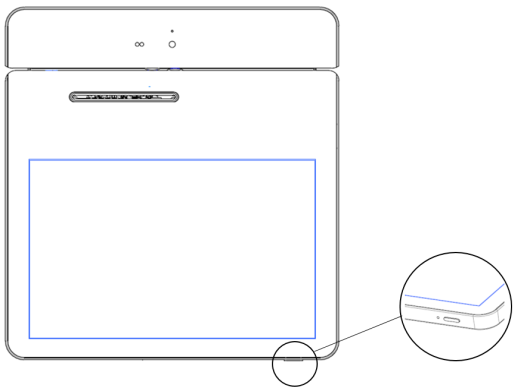
Front View
3. Instructions
- Power ON: Press and hold the power button down for 3 to 5 seconds and then release.
- Power OFF: Press and hold the power button down for 3 to 5 seconds and then release.
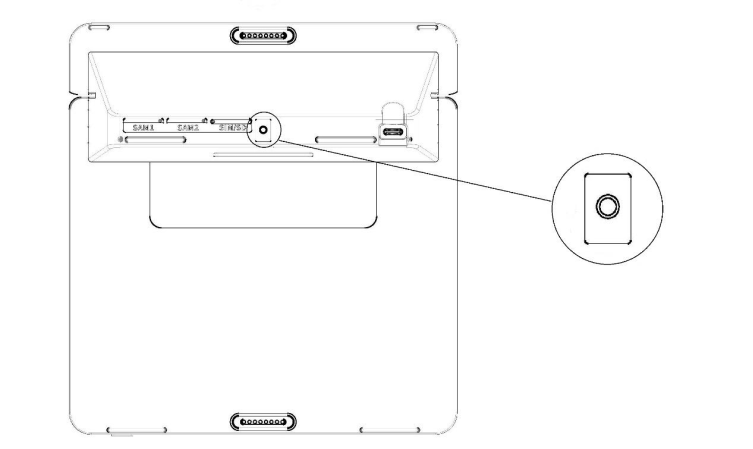
4. SIM/SAM Card Installation
- Uncover the silicone strip (on the back of the terminal).
- Insert the SAM/SIM card into the corresponding card slot.

5. Card Readers
Magnetic Stripe Card
Slide the card through the card reader slot from left to right or from right to left with the magnetic strip oriented towards the body of the device. Make sure that the card is fully inserted into the card reader while swiping the card.
IC/Smart Card Reader
Insert the card fully into the reader with the metallic contacts facing up and towards the device. Make sure that the card is fully inserted into the card reader while scanning the card.
Contactless Card Reader
The contactless card reader reads cards and devices placed roughly within an inch (2.5 cm). For best results, place as close to the reader as possible and center the card over the indicated area at the top of the terminal.
6. Cleaning the Device
- Do not use industrial strength or abrasive cleaner as it may damage or scratch the screen.
- Do not immerse the device in water or liquid.
- Do not spray water or cleaner into EMV Card Reader or ports.
- To clean the screen, apply distilled water or mild glass cleaner onto a soft, lint-free cloth and gently wipe the terminal.
7. Battery Usage Tips
Warning:
- The terminal is equipped with a non-removable built-in battery.
- Do not replace the battery by yourself to avoid damaging the battery or the terminal.
- Do not use the battery in direct sunlight or smoky and dusty environments.
- Do not strike, squeeze or step on the battery, nor throw it into liquid or fire.
- Any product warranty is only valid if batteries supplied by PAX Technology Australia (PTA) are used.
- Charging time should not exceed 24 hours. Over-charging or over-discharging may damage the battery.
- If the product is not being used for an extended period, whether in storage or otherwise, make sure to recharge the battery at least every 6 months.
- PAX Technology Australia (PTA) advises that best-practice is to replace batteries every 2 years.
- Dispose of batteries in a responsible manner according to local regulations.
8. Terminal Installation and Usage Tips
- If any cables become damaged, seek a replacement.
- Do not insert unknown materials into any port on the A3700, as this may cause serious damage.
- If repairs are required, please contact a professional technician instead of attempting them on your own.
- Avoid exposing the device to an excessively hot, dusty, or strong electromagnetic environment.
- Do not vibrate, shake, or drop the device.
PAX Technology Australia (PTA)
Supplier: PAX Technology Australia (PTA)
Address: Level 5, 26 Talavera Road, Macquarie Park, NSW 2113, Australia
Tel: +61 413 841 534
Support: swsupport@paxtech.com.au
Website: www.paxtech.com.au
PAX Technology Australia (PTA) continually invests to maintain its high quality products up to date with the latest certifications, therefore a comprehensive list can be requested via the website's contact form or on downloadable product brochures.